Blocking Digital Ads, as a Digital Ad Manager


I've been working in marketing and advertising for somewhere around 15 years now, with the last 10 or so being focused on pay-per-click advertising. Google ads, Facebook ads, a few industry platforms you've never heard of and one time even Bing!
I also wish I could literally never see another ad ever again outside of my 9-5 working hours.
That's obviously a bit of an issue for me, what with, you know, my livelihood reliant on the existence of digital advertising.
Historically, I haven't really bothered with much in-depth ad blocking. I've been content to run uBlock Origin (not uBlock, not Adblock... uBlock Origin specifically) in Firefox on my PC and phone, then do all my work stuff in Chrome with no ad blocking. Oddly enough, blocking ad content seems to completely break the ad management platforms I'm using every day, rendering me unable to do any work. Crazy.
As I've been exploring more self-hosted services, switching full time to Linux and poking around with computer hardware and some basic electrical projects, I've organically come across several ad blocking services and techniques. Again, they're largely all services and tools that I've been aware of in general, but never cared enough to implement.
One of the big kickers for me was TV. My fiancée and I enjoy TV, not that we have any time at all to watch it because: kids. Together we have watched approximately 1.5 TV shows for adults since our daughter was born. What we do watch is what our 3 year old son watches: Bluey, Blue's Clues, Spidey & His Amazing Friends, as well as every major Disney and Pixar release in 15-minute, out-of-order increments that typically never make it to the second half of whatever movie. I have watched the start of the Paw Patrol Mighty Pups movie at least 20 times, but will never learn if or when Liberty the Dachshund ever gets super powers unless I watch the fucking Paw Patrol movie on my own time after everyone has gone to sleep.
So my kid watches TV (in moderation, obviously). We also allow a handful of YouTube channels, usually people building overpriced animatronic Halloween decorations.
The issues we were finding were ads and sponsored content.
I have Google TV devices connected to our 2 main TVs: a Chromecast and an NVIDIA Shield, both of which run the Google TV platform. The Google TV platform, that runs on devices that I personally outright own, exists primarily to show ads for sponsored content on the various streaming services that have partnered with Google. I do not subscribe to Apple TV, yet I am blasted with ads for Apple shows. Ads display on these devices above the icons for the apps I have installed and below them in rows of "You May also like..." thumbnails for other services. My own media is buried beneath ads for shows I'm not going to watch. Some of these ads have been for horror shows that have freaked out my kid, and some of the lists of recommended content is not stuff I want him to see and decide he needs to watch.
So: ad blocking.
Google TV Main Interface
Difficulty: Easy
Literally just replace the launcher. There are several available, but I'm using Projectivy. Install via the app store, launch the app and follow the instructions to allow it to replace the default home screen for your Google TV. My
 Spocky
My preferred apps are front-and-centre, there's no sponsored images bloating my home screen, and I can still make use of the recommended content lists but maintain control over what actually shows up and where. There's a good amount of freedom for customization, and it conveniently has an option to export it's configuration to the internal storage, where I can then grab the file (I use FX File Manager to access and manage files on and across my various Android devices) and import that config file on my other TV device to have them match up.
YouTube on Google TV
Difficulty: Medium
Google is an ad platform, and Google owns YouTube, so YouTube is also an ad platform. Ever attempt to watch YouTube in it's default ad-laden form? I know people are accustomed to ads now, but I find it basically unusable. I watched a 5 minute video and got hit with the same few 30-second unskippable ads at least 4 times. It's an infuriating experience.
 yuliskov
The solution for TVs is SmartTube. SmartTube is a YouTube app with a ton of functionality and customization, but the main thing we're concerned with here is blocking native YouTube ads and blocking sponsored content within the with it's built-in SponsorBlock integration. SponsorBlock lats you skip a detected segments of a video like ad content, intros/outros, subscribe reminders, etc. All of which is configurable, so if you want the sponsored content, you can disable it per-channel or across the board.
This one is more of an actual ad blocker than Projectivy, and since Google naturally doesn't like ad blockers, the installation process is a bit trickier, but not terribly so. You'll need to download the .apk file and sideload it onto your device. There are several ways to do that, all noted in the installation guide on the SmartTube Github page, I personally downloaded the file to my phone and used FX to transfer it to each TV device, and install from there. Sign in and you're set. Updates are handled within the app itself, so no need for more sideloading, just hit Update and Install.
YouTube on Android Mobile Devices
Difficulty: Medium-well
I never used to watch much YouTube on my phone so I didn't really bother with ad blocking. Then I had another baby and got stuck in a rocking chair for 4 hours.
Kinda similar to SmartTube is YouTube ReVanced, a successor to the original YouTube Vanced that was killed off a few years ago.


ReVanced is functionally very similar to SmartTube, just on your mobile device (looking now, SmartTube is apparently a part of the Vanced Project? I had no idea.) Also similar to SmartTube, you'll need to do some sideloading in order to install it. I vaguely recall the original Vanced being way more of a pain to install and set up than ReVanced was - download and install their Micro G app, then download and install ReVanced, then sign in and off you go.
Mobile & Desktop Web Browsers
Difficulty: Easy
The simple method here is to download Firefox, then install the uBlock Origin extension. That's literally about it. uBlock Origin works out of the box.
 Raymond Hill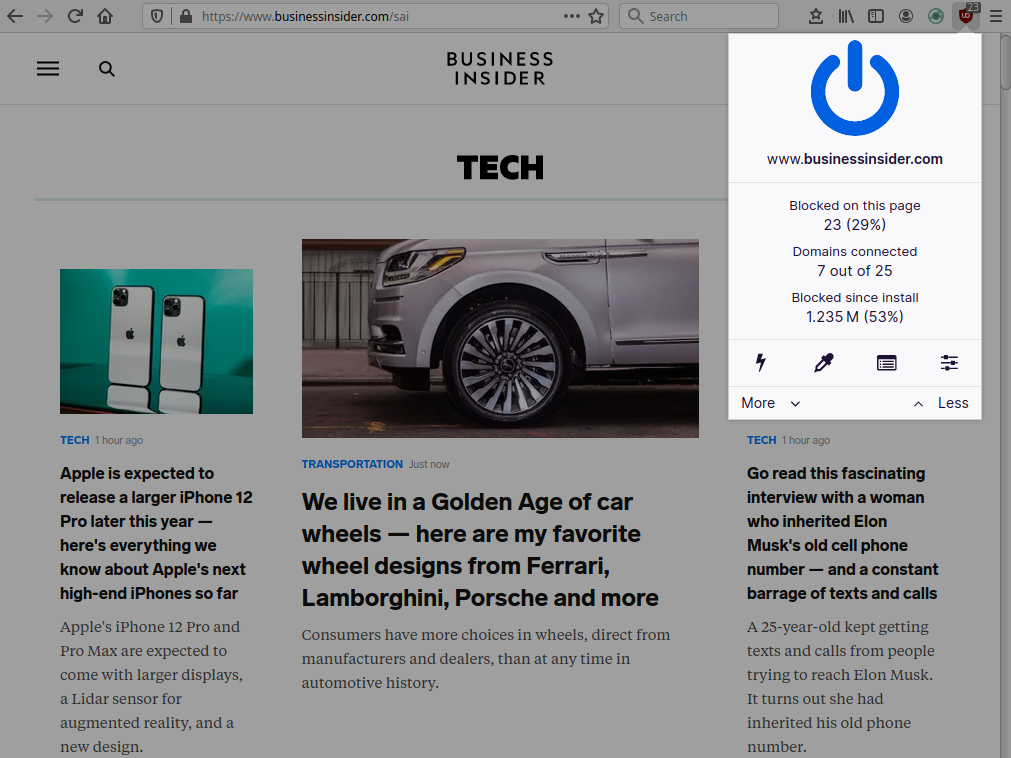
I've moved away from Firefox of late and have been using Vivaldi as my primary browser for a couple of months now. Ad blocking in Vivaldi pretty much baked right in, though the mobile version does not have access to extensions so uBlock Origin is only an option on desktop.
It might seem a little redundant to worry about ad blocking in my browser since I also run an instance of Pi-Hole (see below) to block ads network-wide, but since I work in advertising and can't be blocking the ad networks on my main PC, I don't actually have Pi-Hole blocking anything on my desktop. Just in-browser.
That's also why I can't say much about Vivaldi's built-in ad-blocking: I'm already blocking those ads at the source AND with an extension. But I will say that uBlock Origin does actually do a better job than Pi-Hole in browsers anyway.

Entire Home Network: Pi-Hole
Difficulty: Nerd, but not awful
The big one, Pi-Hole. Pi-Hole literally sits between your router and your devices and blocks ads at the source be simply not letting them through. You visit a website that serves ads, it says to your browser "Hey, download and show this ad from this ad server," and provides an address for the ad content, your browser reaches for the ad content from that address but Pi-Hole steps in, slaps your browser's hand away and says "Fuck you."
 pi-hole
It's not perfect: if a platform, like Google, serves ads itself and you want to be able to use that platform, you can't block the ads. Same issue with Facebook, YouTube or most other video platforms. But it's also extremely effective, especially when paired with any of those other methods. Pi-Hole is blocking the ads, ad and user tracking, malicious content like phishing and malware, or even individual websites entirely. If it's not blocking YouTube ads, uBlock Origin or SmartTube will.
That said, though it's not blocking YouTube ads, since it's running on the entire network, Pi-Hole is blocking ads in pretty much every app on my phone. If I open a link from the Reddit app to a news website, the comments on the posts often complain about the number of ads rendering an article unreadable - not for me. Visiting a torrent site with a dozen different download buttons? I dunno, I only see the actual download link.
Installation is admittedly more difficult if you're unfamiliar with container tools like Docker or are uncomfortable messing about with the settings in your router, but if you do have any familiarity there, you'll have it up and running pretty quickly. Fire it up, attach it to your router, and now Pi-Hole is acting as your DNS server.
Once installed, you'll start seeing every device on your network and every query they're making to whatever service. Depending on what blocking lists you're using, you'll also start seeing what is getting blocked and how often. Below is a screenshot of the last 24 hours of my network traffic.
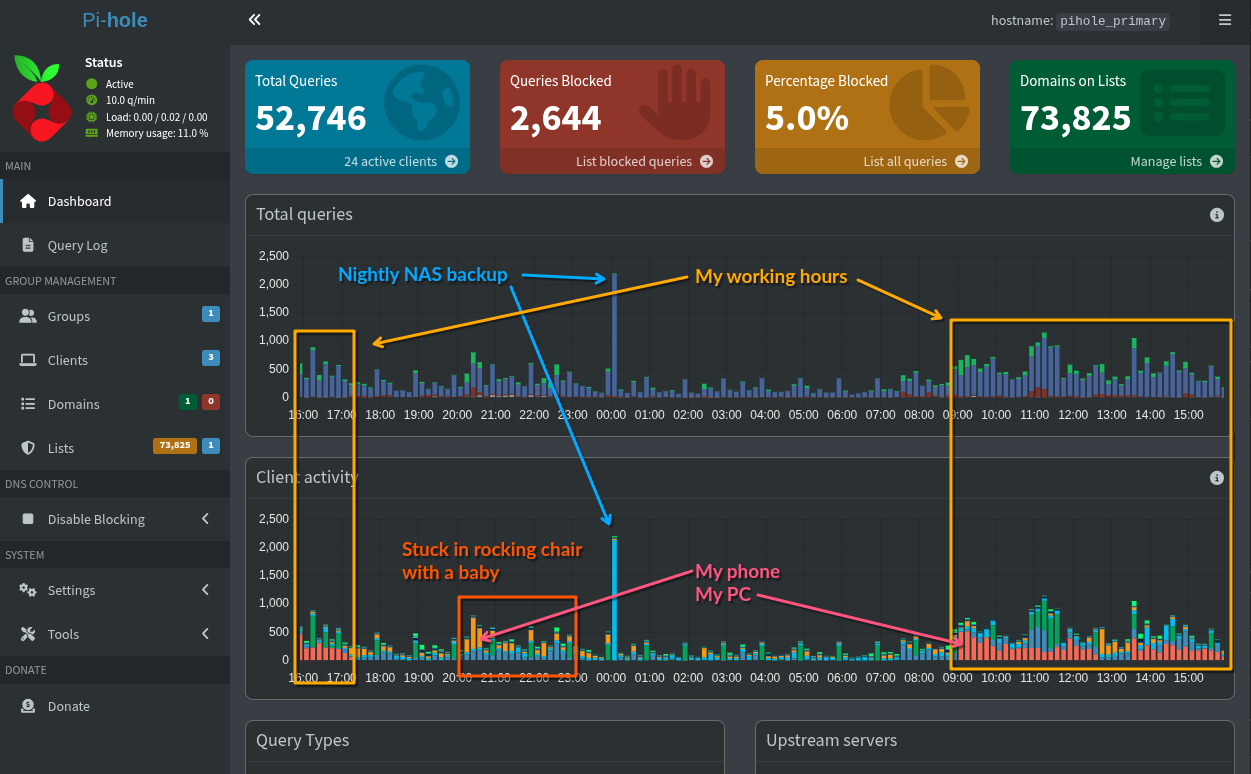
In my case, I have my main PC set to allow all ad traffic, then block my personal internet use via Vivaldi.
I didn't even originally install it with the intention of blocking ads: I needed a DNS server for my internal domains, but the ad blocking was a happy bonus.
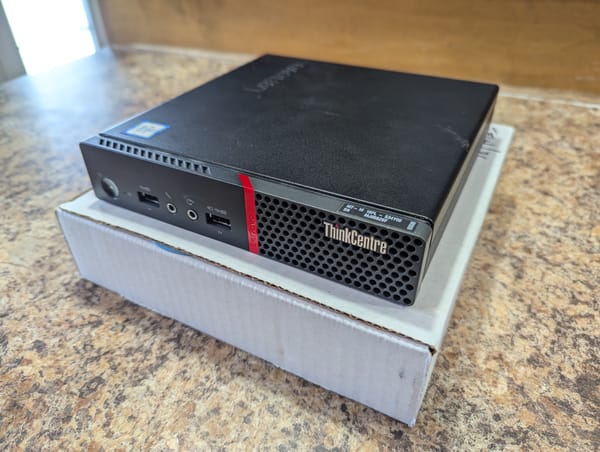
As an additional caveat for Pi-Hole, you'll probably want to have 2 instances running on separate machines. My primary Pi-Hole instance runs on my main server, lenHOVA (my Lenovo M900) and acts as my primary DNS server. If that machine is off, my internet will break. So it's very useful to have a second instance of Pi-Hole running on a different machine (on a different circuit in the house) in the event the main one is down. I have my secondary instance running on RZAberryPi (an old RaspberryPi 3B+ that used to be an emulation machine), synced 1:1 each night from the primary instance via Nebula Sync.
 lovelaze
Find this helpful and/or entertaining?
Consider buying me a coffee.